hypebet live Deposit — Fund Your Account Fast Using GCash, Maya, or Philippine Bank Transfer
The hypebet live Deposit page is your starting point for adding funds to your account so you can access slots, live casino games, bingo rooms, and more. This page explains every available payment method for Philippine players, how long each one takes to process, and what to check before submitting your first transaction. Whether you prefer GCash, Maya, or a direct bank transfer, the process is straightforward and designed to work smoothly on any Philippine smartphone.
What Is the hypebet live Deposit Page and What Can You Do Here?
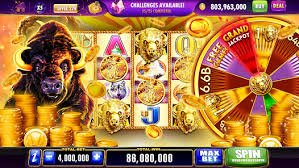
The Deposit page on hypebet live is where Philippine players add funds to their account in Philippine pesos (PHP) before accessing any paid game on the platform. It supports three main payment channels — GCash, Maya, and Philippine bank transfer — all of which are widely used across the country for everyday digital transactions. Once your deposit is confirmed, the funds appear in your account balance and you can immediately use them across the Game Lobby, slot games, bingo rooms, and live casino tables. GCash and Maya transactions are typically processed near-instantly, while bank transfers may take longer depending on your bank and the time of day. The minimum deposit amount is displayed on the page before you confirm, so there are no surprises when your balance is updated. If you have not yet created an account, you will need to register first before the Deposit page becomes accessible.
Three Ways Filipino Players Fund Their hypebet live Account
Each method is built around how Filipinos actually move money — fast, local, and mobile-first.
GCash — The Fastest Option for Most PH Players
GCash is the most widely used e-wallet in the Philippines and the preferred deposit method for the majority of hypebet live players. Deposits via GCash are processed near-instantly — in most cases your account balance updates within seconds of completing the transfer from your GCash app. The process involves selecting GCash on the Deposit page, entering the amount you want to add, and following the on-screen steps which redirect you briefly to your GCash app to authorise the payment. No physical bank visit is required, and the entire transaction can be completed from your smartphone in under two minutes. GCash is available to any Filipino with a registered mobile number, making it the most accessible deposit channel on the platform for players across Metro Manila and the provinces.
Maya — A Reliable Alternative E-Wallet
Maya (formerly PayMaya) is the second major e-wallet supported on hypebet live and works in essentially the same way as GCash for deposit purposes. If you already use Maya for online shopping, bill payments, or remittances, you can use the same account to fund your hypebet live balance without setting up any new payment credentials. Maya deposits are also processed near-instantly under normal conditions, so you can move from the Deposit page to your first game session within minutes. The Maya app is available on both Android and iOS, and the deposit authorisation flow is touch-optimised for Philippine smartphones. Players who hold both GCash and Maya accounts can use either interchangeably depending on which has available balance at the time of deposit.
Philippine Bank Transfer — For Players Who Prefer Direct Banking
For players who prefer to deposit directly from their Philippine bank account rather than through an e-wallet, hypebet live supports standard bank transfers via major local banks. This method is suitable for players who maintain a higher account balance in their bank and want to move larger amounts in a single transaction. Processing times for bank transfers are longer than e-wallet options — transactions submitted during banking hours on weekdays are typically processed faster, while transfers made on weekends or public holidays may take additional time. The Deposit page displays the bank account details and reference number format you need to use when initiating the transfer from your online banking app or branch. Always use the exact reference number provided to ensure your deposit is matched to your hypebet live account correctly and without delay.
From Zero Balance to Ready-to-Play in Four Simple Steps
-
1Register and Log In to Your Account
If you do not yet have an account, visit the Register page to sign up for free — it takes under two minutes. Once your account is active, use the Login page to sign in. The Deposit page is only accessible to logged-in players.
-
2Navigate to the Deposit Page
After logging in, click or tap "Deposit" in the top navigation menu. The page will display all available payment methods along with the current minimum deposit amount and any relevant instructions for each channel.
-
3Select Your Payment Method and Enter the Amount
Choose GCash, Maya, or bank transfer based on your preference. Enter the amount you want to deposit in Philippine pesos, making sure it meets the minimum requirement shown on the page. Review the details before confirming.
-
4Complete the Payment and Start Playing
Follow the on-screen authorisation steps for your chosen method. For GCash and Maya, your balance updates near-instantly. For bank transfers, wait for the confirmation notification. Once funds appear in your account, head to the Game Lobby to start playing.
Deposit Methods at a Glance
Compare processing times and key details before choosing your preferred payment channel.
| Method | Processing Time | Device Required | Best For |
|---|---|---|---|
| GCash | Near-instant | Smartphone (Android/iOS) | Quick top-ups, most PH players |
| Maya | Near-instant | Smartphone (Android/iOS) | Existing Maya users |
| Bank Transfer | Varies (banking hours) | Online banking app or branch | Larger amounts, direct banking preference |
Where Filipino Players Go Once Their Account Is Funded
Your deposit unlocks the full platform — here are the sections most players visit first.
Browse the Full Game Lobby
Once your balance is confirmed, the Game Lobby is the best place to start exploring. It organises all available game categories in one place — slots, live dealer tables, bingo rooms, and more — so you can quickly find the type of entertainment that suits your mood and budget. The lobby is fully mobile-optimised and works on any Philippine smartphone without requiring an app download.
Understand the Withdrawal Process
After playing, Filipino players who want to cash out their winnings should review the Withdrawal page to understand how the process works, which methods are available, and what the processing times look like. Knowing the withdrawal flow before you start playing helps you plan your session and avoid any surprises when you are ready to move funds back to your GCash or bank account.
Get Answers in the FAQ
If your deposit does not reflect immediately, or if you encounter an error during the payment process, the FAQ page covers the most common deposit-related questions from Philippine players in plain English. Topics include what to do if a GCash transaction fails, how to check your pending balance, and how to contact support if the issue is not resolved automatically. It is the fastest way to troubleshoot without waiting for direct assistance.
Deposit Questions Philippine Players Ask Most Often
Straight answers to the most common funding questions from Filipino players on hypebet live.
To make your first deposit on hypebet live using GCash, you need a registered and logged-in account — visit the Register page if you have not signed up yet. Once logged in, navigate to the Deposit page from the top menu, select GCash as your payment method, and enter the amount you want to add in Philippine pesos. The page will guide you through an authorisation step that briefly opens your GCash app to confirm the payment. After you approve the transaction in GCash, your hypebet live account balance updates near-instantly and you can proceed to any game on the platform. If you encounter any issue during the process, the FAQ page has a dedicated section covering common GCash deposit problems and how to resolve them quickly.
Bank transfer deposits on hypebet live take longer to process than GCash or Maya because they depend on the operating hours and processing schedules of Philippine banks. Transfers submitted during regular banking hours on weekdays are typically processed faster, while those made on weekends, public holidays, or late at night may take additional time before the funds appear in your account. When initiating a bank transfer, always use the exact reference number provided on the Deposit page — this is how the platform matches your payment to your account. If your deposit has not appeared after the expected processing window, check the FAQ page for guidance on how to follow up, or contact the hypebet live support team with your transaction reference for assistance.
Yes, hypebet live requires a minimum deposit amount before a transaction can be submitted, and this amount is displayed clearly on the Deposit page before you confirm your payment. The minimum is set in Philippine pesos and may vary slightly depending on the payment method you choose — GCash, Maya, and bank transfer may each have their own minimum threshold. Always check the current minimum shown on the page at the time of your deposit, as it reflects the most up-to-date requirement. Depositing at or above the minimum ensures your transaction is processed without any issues and your balance is updated promptly. If you are unsure about the current minimum for your preferred method, the FAQ page provides additional guidance on deposit limits and how they apply to different payment channels.
Yes — the hypebet live Deposit page is fully browser-based and works on any Android or iOS smartphone without requiring you to download a separate platform app. Simply open Chrome, Safari, or any modern mobile browser, log in to your account, and navigate to the Deposit page from the top menu. The deposit form and payment flow are touch-optimised for Philippine smartphones, so selecting your method, entering the amount, and completing the authorisation all work smoothly on a phone screen. Note that if you are depositing via GCash or Maya, you will still need those respective apps installed on your phone to authorise the payment — but the hypebet live platform itself requires no additional app. This browser-first approach is particularly convenient for Filipino players who prefer not to use extra storage space on their devices.
If your GCash balance was deducted but your hypebet live account balance has not updated, the first step is to wait a few minutes — occasional network delays can cause a brief lag between the GCash deduction and the platform balance update. If the balance still has not appeared after five to ten minutes, check your GCash transaction history to confirm the payment was successfully sent and note the transaction reference number. Visit the FAQ page on hypebet live for the specific steps to report a pending deposit, including what information to provide to the support team. In most cases, pending deposits are resolved quickly once the support team can match your GCash transaction reference to your account. Avoid submitting a second deposit for the same amount until the first one has been confirmed or officially declined, to prevent duplicate charges.
Ready to Fund Your Account and Start Playing on hypebet live?
Register a free account today and make your first deposit using GCash, Maya, or a Philippine bank transfer. Your balance updates near-instantly for e-wallet payments, so you can be inside a game room within minutes of signing up.